

Why the Switch Matters?
So you’re getting into competitive gaming, or maybe your trusty Logitech keyboard from the ’90s finally kicked the bucket. (Honestly, if this is you, you should’ve upgraded years ago.)
Then you spot a sleek new keyboard, RGB lighting, futuristic design, and looks like it should of been made in the year 3000. You read the description and see “Blue Clicky switches” and pause… wait, pressing a key is now a switch?
You try to Google it, and suddenly you’re buried in overly technical articles that over-explain and confuse, leaving you mourning your old keyboard even more.
If this has happened you don’t be ashamed, the only reason I know this experience is because a…… friend told me thats all. 👀
Switch Wars: The Key Choronicles!
Well ladies and gentlemen, you have come to the right place! Gameplay Techy proudly presents… Switch Wars: The Key Chronicles! 🎬
In this corner, we have Linear Red, the speed demon. Quiet, sleek, smooth as silk, think of that one action hero who never hesitates, always hitting the mark perfectly. Fast, precise, and deadly efficient, Linear Red is your go-to for high-speed battles where hesitation is not an option.
Next up, meet Tactile Brown, the dependable sidekick. Calm, steady, and always giving you just the right amount of feedback, like the character who notices everything, keeps the crew on track, and quietly makes everyone’s life easier. Not flashy, but indispensable.
And finally, the loud and proud Clicky Blue. The comedic relief of the group, dramatic, attention-grabbing, always making their presence known. Think of the overenthusiastic character who clicks into every scene with flair, making sure everyone knows exactly when they’ve arrived.
Each switch has its own personality, its own way of interacting with you, and its own superpower. Choosing the right one isn’t just about typing, it’s about matching your personality to your keyboard’s hero squad.
ROUND 1 FIGHT
…………….
Yeah you’d like that wouldn’t you 😉
Maybe on the next episode of Gameplay Techy Ball Z!
Ahem…
Now let us continue with Linear vs. Tactile vs. Clicky the right way!
| Switch Hero | The Tech Sidekick |
|---|---|
| Linear Red – The Speed Demon 🎯 | Straight stem, smooth travel, quiet, fast actuation. Best for FPS/MOBA gaming. |
| Tactile Brown – The Reliable Sidekick 🛡️ | Bumped stem gives feedback at actuation, quiet, steady feel. Best for writing, coding, office use. |
| Clicky Blue – The Loud Comedic Relief 🔊 | Click jacket adds audible confirmation, tactile bump + click, loud. Best for typists who love feedback. |
The Anatomy: How Every Switch “Ticks”
Alright folks, now that you’ve met our switch heroes, it’s time to peek under the hood and see what makes these little warriors tick. Every mechanical key switch has three core components, think of them as the body, soul, and nervous system of your keyboard.
The Metal Contacts: The Nervous System
These tiny, delicate components act as the switch’s nervous system. Their job is simple but critical: to complete the electrical circuit.
When the stem presses down, one metal contact moves until it touches the other. This moment of connection is the Actuation Point, and it’s where the signal is instantly sent to your PC: “Hey, that key was pressed!”
- Actuation Point: This is the exact moment the metal contacts touch, registering the keypress. It is usually halfway down the total travel (e.g., 2mm), long before the key bottoms out.
- Bottoming Out: This is when the stem physically hits the bottom of the switch housing. While it doesn’t hurt your keyboard, it’s the point of no return, and the loudest part of the press!
Think of the metal contacts as the crucial messenger. They’re the ones sending the signal to your computer so it knows exactly what crucial move your character (or your cursor) needs to make.
The Stem: The Part That Decides the Switch’s Personality
This is the central column you actually press, and it’s the most important piece for determining the switch’s personality. The shape of the stem’s legs is what creates the feel, whether it’s a smooth, fast ride or a satisfyingly crunchy press.
Here’s how the stem shape changes the game:
- Linear: The stem is perfectly straight. This guarantees a smooth ride from the very top to the bottom, no resistance, no bumps, just pure, uninterrupted speed.
- Tactile: The stem has a small, molded “leg” or bump. This feature is designed to catch the metal contact leaf, giving you that sweet, distinct physical confirmation right at the point of actuation, all without making a sound.
- Clicky: This stem works with an added piece, the click jacket. The combination delivers a firm tactile bump and an audible snap when it passes the actuation point, ensuring everyone knows you mean serious typing business!
The Spring: The Switch’s Muscle
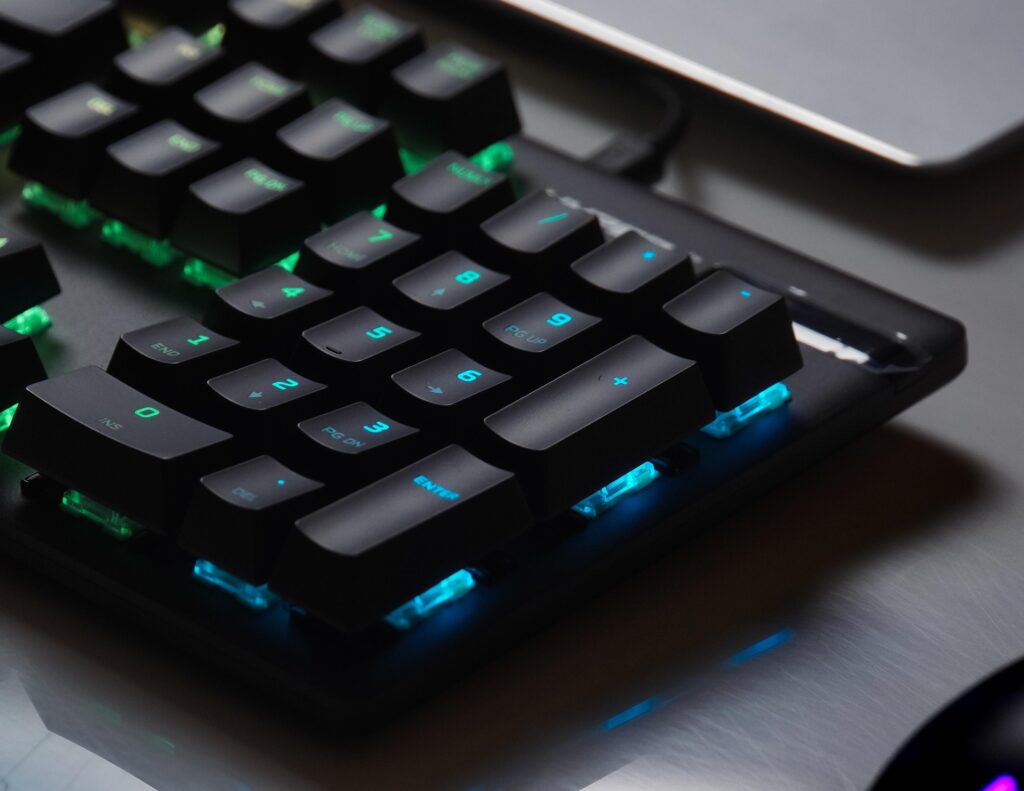
Sitting underneath the stem, the spring is the true muscle of the switch, controlling one vital metric: actuation force. Put simply, the spring dictates how heavy or how light a keypress feels.
- Lighter Springs (e.g., Linear Reds): These allow for lightning-fast presses and reduce finger fatigue during long gaming sessions. You barely have to breathe on them!
- Medium Springs (e.g., Tactile Browns): They offer a balanced feel with reliable resistance. They let you know the key is there without wearing you out.
- Heavier Springs (e.g., Clicky Blues): These demand a more deliberate press, providing satisfying, sturdy resistance. They discourage accidental key activation.
In short, the spring is your switch’s strength. Without it, the stem would flop around like a flimsy, un-flipped pancake. And nobody wants a floppy keypress!
Understanding the Force Curve: Your Switch’s Secret Blueprint
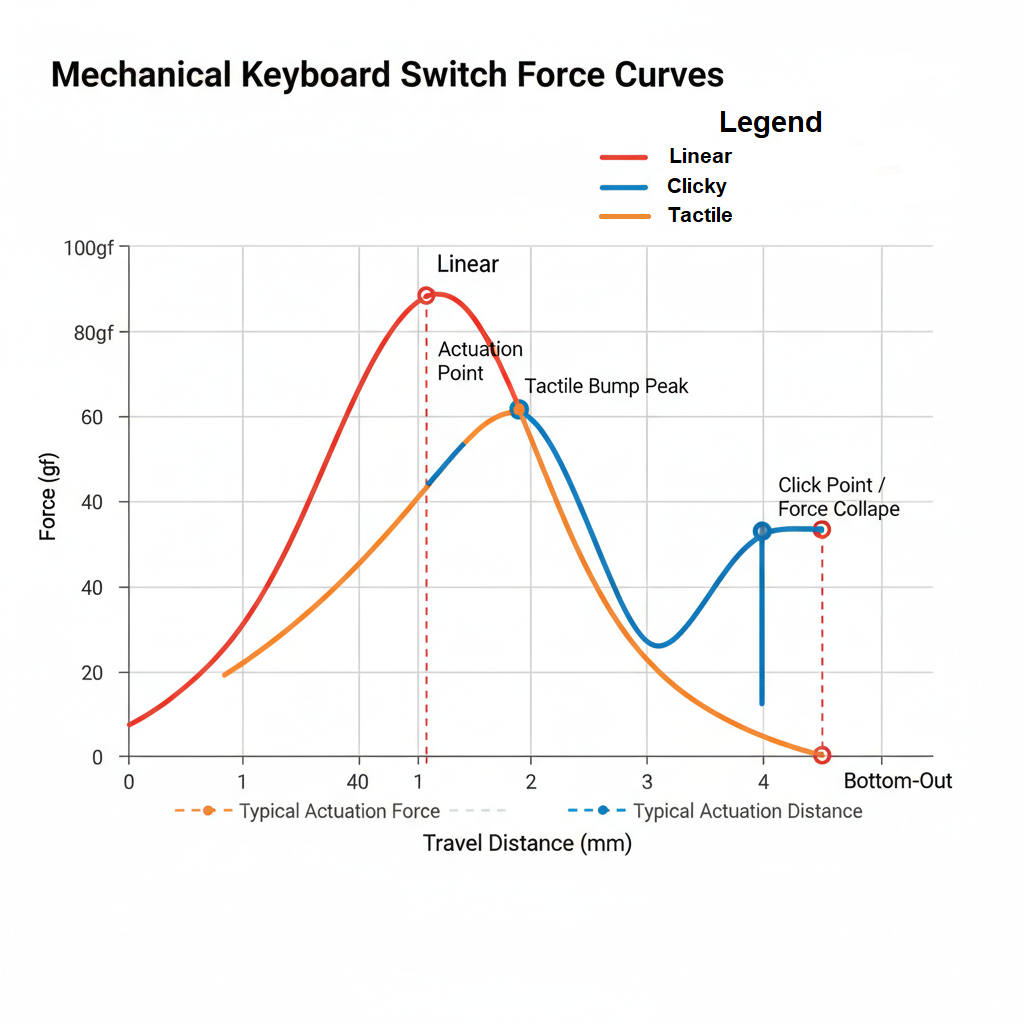
Forget marketing jargon for a moment. To truly grasp how a switch feels, we need to look at its Force Curve. Think of this as the switch’s blueprint, a simple graph that shows you exactly how much force (measured in grams-force, or gf) you need to apply as you press the key down (measured in millimeters, or mm).
Here’s how to read our simplified Force Curve diagram above:
- X-Axis (Horizontal): This is the Travel Distance (in mm). It shows how far the key is pressed, from its resting position (0mm) all the way to bottoming out (typically around 4mm).
- Y-Axis (Vertical): This is the Force (in gf). It tells you how much pressure your finger is exerting on the switch at any given point in its travel.
🔴 Linear Switches: The Speed Demon (Red Family)
Linear Red: How They Work and Why Gamers Choose Speed
If you want pure, uninterrupted speed, this is your hero. No bumps, no clicks, just raw, smooth precision.
The Technical Deep Dive (The “How”)
Linear switches rely on a straight stem, no internal obstacles, no drama. Press the key and it glides from top to bottom like a high-speed roller-coaster.
The Force Curve? A gentle hill, steadily rising until you hit bottom-out. No sudden resistance, no surprises, just pure velocity. Perfect for when milliseconds matter.
The Feeling
Smooth, fast, and whisper-quiet. No clicks, no bumps, just instant registration at ~2mm. Your fingers can lift and double-tap faster than your opponent can blink.
Best Use Case
Competitive FPS or MOBA games, if you’re spamming abilities or chaining head shots, Linear Red is your BFF.
Hit it like a pro, glide like a ninja, and let your keyboard do the talking, literally nothing to stop you here.
🟠 Tactile Switches: The Feedback Bump (Brown Family)
Tactile Brown: The Reliable Sidekick
Tactile switches are all about confirming the key-press without yelling about it. They whisper to your fingers: “Hey, you got this.”
The Technical Deep Dive (The “How”)
These switches rely on a precisely molded stem “leg”. As you press the key, this tiny leg brushes past the metal contacts, creating that satisfying bump you feel under your finger.
The actuation point? It happens right at the peak of the bump. The instant you feel that resistance drop, your computer knows the key was pressed.
On the Force Curve (Orange Line in your diagram), this shows up as a quick spike that immediately falls, letting the key slide the rest of the way down. Think of it as a soft, purposeful tap, not silent like Linear, not loud like Clicky, just perfectly deliberate.
The Feeling
Tactile switches are the Goldilocks of typing: not too soft, not too loud, just right. You get that satisfying bump under your fingertips without disturbing your coworkers, or your roommate who’s mid-zoom call. Compared to Linear, they feel more intentional, more in control.
Best Use Case
Writers, coders, office warriors, or hybrid gamers who want tactile confirmation without annoying anyone nearby. They’re the sweet spot between speed and accuracy, like the sidekick that always has your back.
🔵Clicky Switches: The Audible Confirmation (Blue Family)
Clicky Blue: The Loud Comedic Relief
Clicky switches are the mechanical keyboard classic, unapologetically loud and impossible to ignore. They give you both tactile and auditory feedback, so everyone in the room knows exactly what your fingers are doing.
The Technical Deep Drive ( The “How”)
These switches have one extra hero in the mix: the click jacket (aka click leaf).
Press the stem, and the jacket travels with it. At the actuation point, it snaps down sharply against the base, creating that signature click. It’s like a tiny percussion section in your keyboard, BOOM, every keypress is a drum solo.
On the Force Curve (Blue Line), you see it loud and proud: a clear tactile bump, followed by a sharp drop in required force, a satisfying snap through the activation point. You literally feel the key “breaking” through, in the best way possible.
The Feeling
Clicky switches are loud, proud, and extremely satisfying. They give a firm bump and a crisp audible click, so there’s no doubt your key registered. Typing becomes rhythmic, almost musical, your fingers and ears working in perfect sync.
Best Use Case
Dedicated typists, coders, or anyone working solo who loves nostalgic, clicky satisfaction. Perfect for those who want a keypress that announces itself like a hero entering the room.
Hit it, hear it, feel it, Clicky Blue makes your keyboard sing, and everyone in the office instantly knows you mean business.
Switch Summary: Who Wins the Round?
- Linear Red: The Speed Demon. Smooth, fast, quiet, perfect for competitive gamers who want pure velocity.
- Tactile Brown: The Reliable Sidekick. Gentle bump, quiet confirmation, ideal for writers, coders, and hybrid gamers.
- Clicky Blue: The Loud Comedic Relief. Tactile + audible snap, best for typists who love feedback and nostalgic vibes.
Final Thoughts
Here’s the thing, there’s really no winner. It’s all about what suits your style and needs. Speed, feedback, or flavour, pick the switch that fits your fingers, your desk, and your vibe. Can’t decide? Grab a switch tester kit and let your fingers do the talking.

Enjoy this article? Please check out my other articles below:
![Review: The [Specific Obscure Amazon Brand] Keyboard Mechanical Marvel or Plastic E-Waste?](https://gameplaytechy.com/wp-content/uploads/2026/01/keyboard-915520_1920.jpg)